
Automate your investments with Saxo in 2026
| Updated: |
(Disclosure: Some of the links below may be affiliate links)
Saxo offers a feature called AutoInvest that lets you automate your investments. This feature allows you to design an investment plan in ETFs and automatically invest your deposits into them.
Many people want to spend as little time as possible on their finances. For them, features to automate their investments are essential.
Beyond saving time, you can even save fees with this feature.
So, we will see exactly how to automate your investments with Saxo.
Saxo AutoInvest

Start investing with a Swiss broker at incredible fees! Start trading with Saxo Bank and get 200 CHF in trading credits.
- Low currency conversion fee
- Swiss broker
Saxo Bank is an investment bank from Denmark, founded in 1992 already. The firm serves many customers in many countries. Saxo Bank has an entity in Switzerland, fully licensed as a Swiss bank. So, for a Swiss investor, dealing with Saxo Bank is the same as dealing with any other Swiss broker.
When they updated their fees in early 2024, they became the cheapest Swiss broker available.
And in September 2024, they introduced AutoInvest, a feature to automate your investments in a monthly ETF savings plan. We will look at this feature in detail.
How does AutoInvest work?
This savings plan will be executed monthly, on the 5th day of the month. If this day does not fall on a business day, the investment will be made on the next business day. There is currently no way to change the frequency. But it should be fine for most people since most people have a monthly salary.
Fortunately, there are no minimums or maximums for deposits. And you can adjust the amount each month.
AutoInvest does not use fractional shares. It only buys full shares. For me, this is a good thing, because fractional shares have some issues. However, it means that you cannot invest in less than a full share in your monthly investment. If the ETF sells for 200 CHF, this will be the minimum you can invest per month. And if you only want 10% in that ETF, you will need 2000 CHF per month to invest.
Any uninvested cash will carry over and be used on the next investment round. It is also possible to enable the investment of extra cash in the settings of the AutoInvest portfolio. This could be useful if there are a lot of dividends or to do a one-time investment.
Fees
Using AutoInvest does not add any fees to investing. It is free to start using AutoInvest in your account.
On the other hand, there is an advantage to AutoInvest: you do not pay the buy fees. So, as long as you invest, you will not pay any transaction fees. It is important to note that the Swiss stamp duty is still due on the buy operations. Currency exchange fees are also due if you buy in a different currency.
When you sell (liquidate), all standard fees apply.
Limitations
Before using AutoInvest, we should learn about its limitations.
The main limitation is that we can only invest in a selection of ETFs from iShares and Amundi. In total, we can invest in about 100 ETFs. And this list does not include US ETFs. If you are investing in EU ETFs, this is a great selection, and you will not have any issue making a great portfolio. But if you prefer to invest in US ETFs (US ETFs are most efficient), you will need to use manual investments. This is why AutoInvest is an ETF savings plan rather than a generic recurring investment feature.
Since AutoInvest does not use fractional shares, it is not great for small monthly amounts because it is difficult to do a portfolio with full shares and a low monthly amount. In some cases, this also means that you will invest less than you planned.
There is a limit of 10 ETFs per savings plan. But this should be more than enough since a portfolio should be kept simple. And you can create multiple AutoInvest portfolios (up to 10) if you really want to invest in more than 10 instruments.
Another limitation is that we cannot transfer shares from an AutoInvest portfolio to another sub-account. The only way would be to liquidate the sub-account and transfer the proceeds.
Overall, AutoInvest has few limitations. The main limitation is the selection of ETFs, but it is in line with other savings plans. If you wish to use US ETFs, you will have to do your investments manually. Furthermore, since it lacks fractional shares, it may not be suited to small monthly investments.
Automate your investments with Saxo
Now that we have covered the details of the system, let’s see how this works in practice.
First, you will need to log in to your account. If you do not have an account, you will need to create one (here: Saxo Bank).
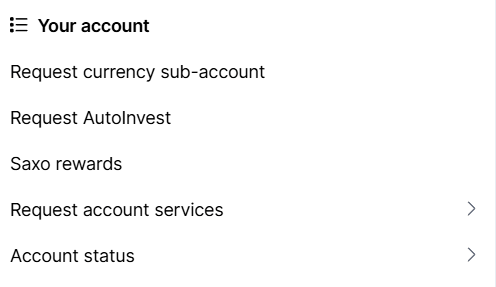
From your account, you need to open the menu (by clicking on the icon of a person on the top right). On the menu, you will be able to click on Request AutoInvest if you have never done so. This will create a partition on your account from where you can create your portfolios.
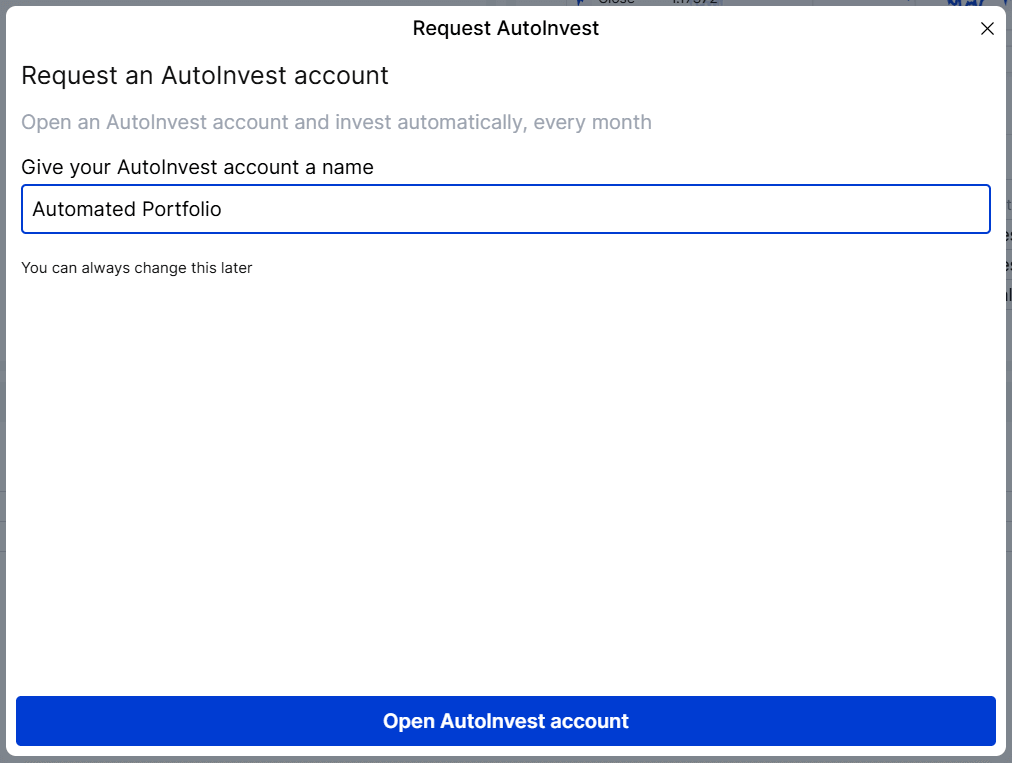
Your AutoInvest account should have a name. After you have entered the name of your portfolio and validated the form, you will be greeted with a confirmation message, and your sub-account will be ready to go.
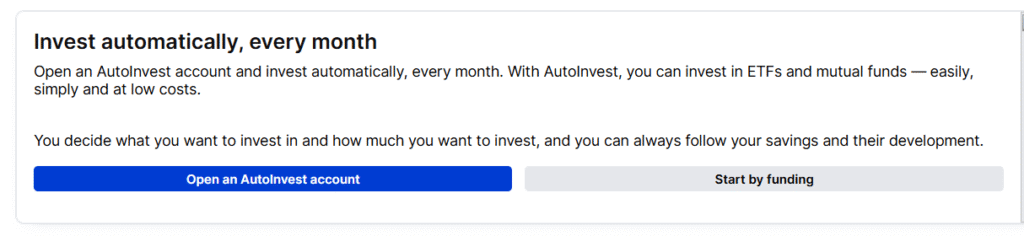
From there, you will need to open a portfolio by clicking on Open an AutoInvest account. And finally, we will create the portfolio. To choose your ETFs, you have three choices:
- The first tab gives you inspiration by showing the most popular ETFs and the highest-performing ones.
- The second tab gives you access to the entire list of ETFs.
- The third tab gives you access to themes to group ETFs.
Depending on your level of experience with ETFs, some of these views are better than others. And in the end, they give you all the information you need to find an ETF.
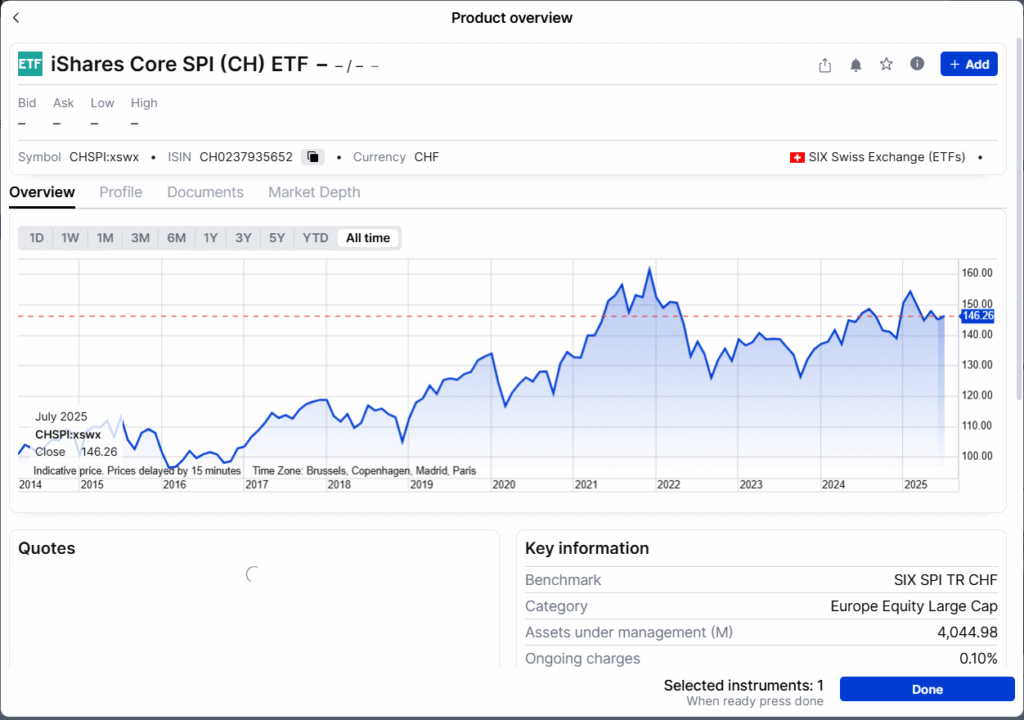
Once you click on an ETF, you will see a lot of information about the ETF, and you will be able to access the documents as well if you want all the details. If you want to add the ETF to your portfolio, click the Add button on the top right. And once you are satisfied with your portfolio, click on the Done button on the bottom right.
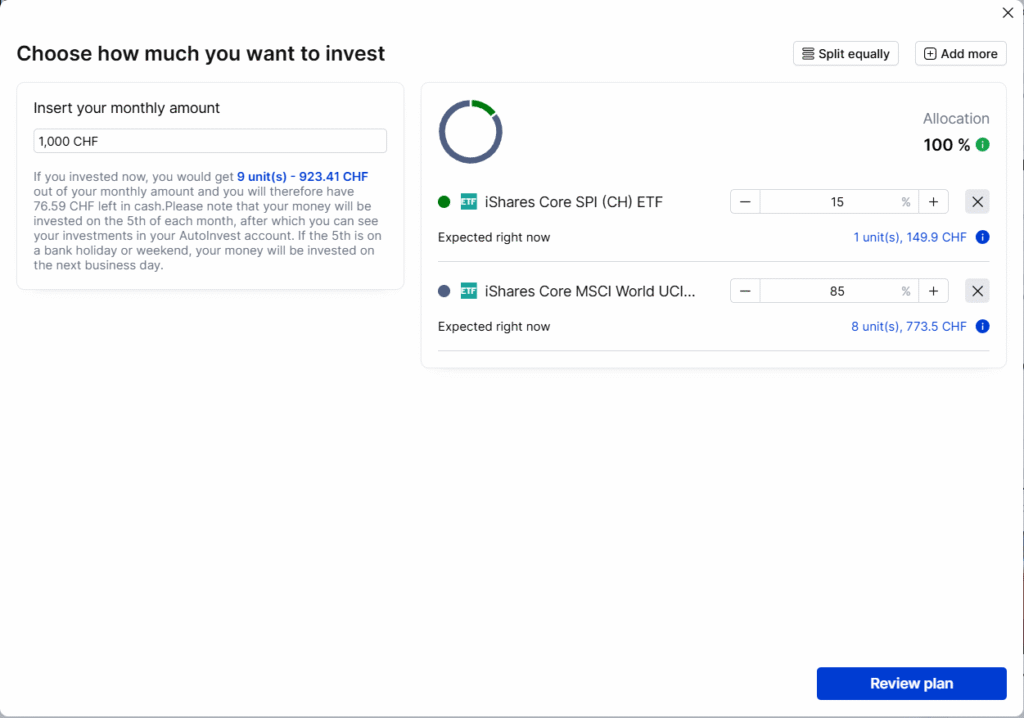
Now that you have selected your ETFs, you can give them a percentage. You also need to set a monthly transfer. In my example, I set up a 1000 CHF monthly payment and a 15/85 portfolio. You will see that even though I set up a 1000 CHF monthly amount, the total amount invested is only 923.41 CHF. The reason is that AutoInvest can only use full shares, leaving some money uninvested.
Once you are ready, you can continue to review your final plan.

On this final step, you can make sure everything is set up correctly. Saxo has a big disclaimer indicating that they get some money back from the product providers. This is entirely logical since this is how ETF savings plans work. Without that, they would not be able to remove the buy fee. Once you are sure everything is fine, you can continue and save your savings plan.
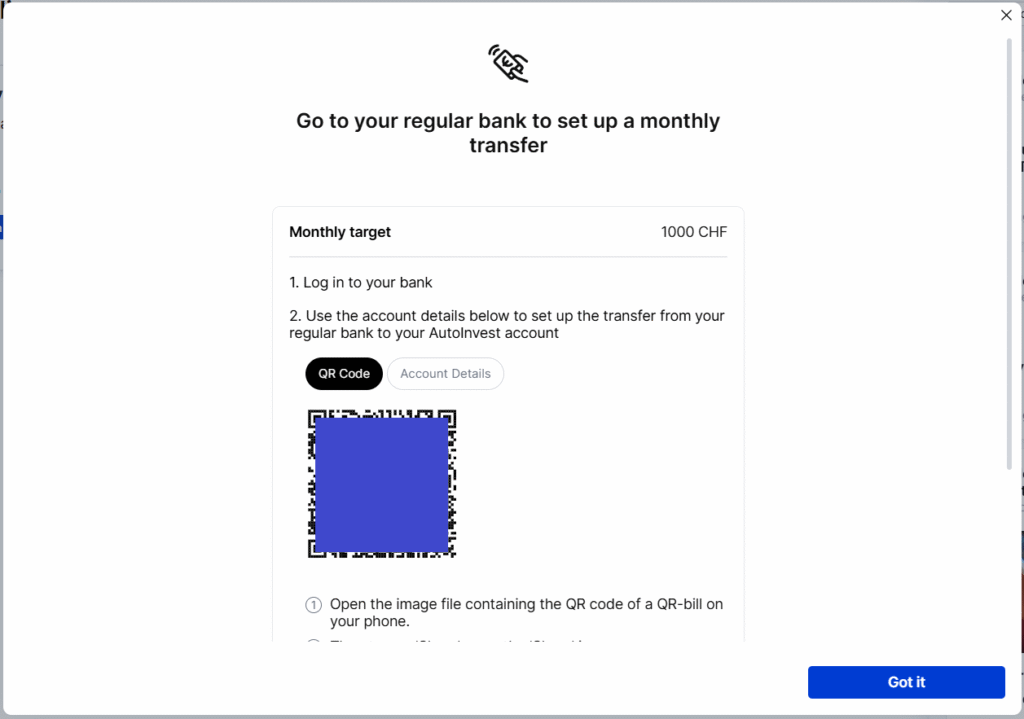
After this point, your ETF savings plan is ready to go and only waiting for money and the next fifth day of the month. Saxo will show you a QR code to deposit money into your account.
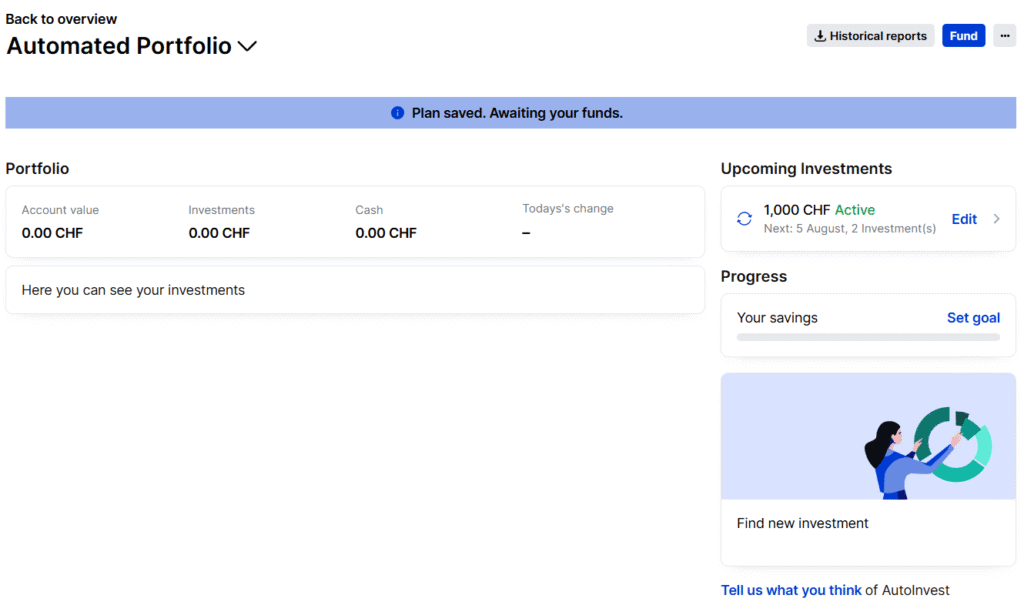
If you go into the overview of your automated portfolio, you will see all the information you need. You will see exactly how much you have put inside and how much it is worth now. You will also see when the next investment will happen.
Nothing is set in stone in these savings plans. You can change your monthly investment and your portfolio. But since the goal is long-term investment, it is better to set your portfolio once and then keep using the same one.
Automate your deposits
If you really want to fully automate your investments, you should also automate your deposits.
Fortunately, for AutoInvest, this is trivial. You get a QR code that you can scan from your favorite bank application. Then, you can make that into a recurring deposit.
All the banks I have used support recurring transfers. If your bank does not allow that, you will either have to do it manually or you should change to a new bank (check the best Swiss banks). You can also contact your bank and ask for this feature.
Pros & Cons
| ✅ Pros | ❌ Cons |
|---|---|
| ✅ No buy fees | ❌ No access to US ETFs |
| ✅ Ability to automate both investing and deposits | ❌ Only monthly investments |
| ✅ Simple, automated monthly investing | ❌ Only ~100 ETFs (iShares and Amundi) |
| ✅ No minimum investment amount | ❌ Cannot transfer AutoInvest holdings without selling |
Frequently Asked Questions
What happens to the dividends in Saxo AutoInvest?
Dividends are deposited in the AutoInvest portfolio. They can then be used on the next investment day.
What happens if there is too much cash in Saxo AutoInvest?
Over time, dividends could generate extra money in an AutoInvest portfolio that would be higher than the monthly investment. You can configure your AutoInvest portfolio to invest extra cash as well on the monthly investment date. That way, any extra cash would be invested together with your monthly deposit.
Does Saxo AutoInvest invest in fractional shares?
No. Saxo AutoInvest only invests in entire shares.
Who is Saxo AutoInvest good for?
Saxo AutoInvest is great for people who want to automate a portfolio of CH and EU ETFs with minimal effort.
How to pause your AutoInvest plan?
From the dashboard, you can pause your plan at any time if you want to stop your recurring investments for some time.
Conclusion
Start investing with a Swiss broker at incredible fees! Start trading with Saxo Bank and get 200 CHF in trading credits.
- Low currency conversion fee
- Swiss broker
AutoInvest is a very nice ETF savings plan that lets you automate your investments on a monthly basis. This feature saves you time and removes some friction from investing. Additionally, you can even save fees since transaction fees are not due when buying shares.
On the other hand, this feature is not perfect. Since it is an ETF savings plan, you will be limited to a selection of ETFs. If your favorite ETFs are in this selection, this is not much of a limitation. But if they are not, you will not be able to automate your investments.
We use Saxo as our secondary broker. We currently do not automate, but since we only have a single ETF and that ETF is on the list, we may automate this investment in the future to save on transaction fees.
If you are into automation, you could also check out how to automate investments with Interactive Brokers.
What about you? Do you automate your investments? Do you use AutoInvest?
More reading

FlowBank bankruptcy 2024: What happened to customers?
FlowBank Update. Essential information for former FlowBank customers: How to recover your funds, transfer your securities, and what happens next.
Step-by-Step Guide: How to buy an ETF with Saxo in 2026
Trade on Saxo. A step-by-step tutorial on how to buy your first ETF with Saxo Bank, covering currency conversion, order types, and fees.
Should you opt for securities lending?
Earn extra yield? Learn what Securities Lending is, how it generates passive income on your stocks, and the risks involved with lending your assets.
Learn easy ways to optimize your finances and save thousands in Switzerland with our exclusive e-book. Learn about the most cost-effective financial services tailored for savvy residents and expats!
Get Your FREE Swiss Money-Saving Guide
I’m currently transferring a lump sum from Truewealth to invest in IBRK and Saxo. I have just setup autoinvest but will have to wait a month until that starts working. However, as soon as the funds come from Truewealth, I want to get them into Saxo ASAP (to avoid any risk of the market going up) and not wait until the 5th. If I invest in the exact same ETFs outside of autoinvest with the lump sum, do I end up with two separate but identical portfolios in my account? Is it smart enough to see that the ETFs are the same and therefore present a summary of the total invested in each ETF? Not being able to autoinvest into an existing portfolio is a bit odd.
Hi Tim
Yes, you will end up with two portfolios indeed.
And I do not think they can be reconciled, so you will really have two “accounts” with each a portfolio of ETF.
I agree that this kind of a limitation, they really thought this system for monthly investing.
Hi Baptiste,
I’d like to set up autoinvest with a S&P500 ETF, I’m planning 250 chf each month.
Since the Ishares one (acc.) costs around 600 chf, I’d rather go with the Amundi one, which is dist and costs 70 chf.
When I receive the dividends, what happen? Will they be automatically added to the cash for the next automatic investment?
Then another question: Neon has recently cancelled some etfs savings plan, do you think that Saxo will do the same?
Thanks
Hi Nic
Yes, dividends should go into the plan, but you must check the box “invest extra money”. Otherwise, they will only invest the amount you configured.
I don’t know about any future change of the partnerships for the savings plan. This may change indeed, but there is nothing we can do to predict it.
Hello Baptiste,
I have used Saxo before because other brokers wouldn’t allow my kids to have their own accounts. Therefore they already have ETF investments with Saxo. My question is can their existing portfolio be converted to Autoinvest without selling (like it is the other way around when selling?)
Thanks in advance, and thanks for everything that you do!
Hi Dd,
Why don’t you create a new portfolio for AutoInvest? You cannot convert a portfolio to AutoInvest, but there would be no advantage for existing shares anyway.
Saxo AutoInvest might not support US-ETFs, but it support several Worlf-ETFs where the percentage of US-shares is high (e.g. iShares Core MSCI World).
Hi Dario,
Yes, it has great ETFs, no doubt. I believe it also has S&P500 ETFs with only US shares. The difference is in efficiency to avoid losing dividends with US ETFs.
Very interesting feature. For someone with a simple portfolio that wants to automate everything. Would you consider this superior to VIAC/finpension invest products? I would guess so as there’s no management fee?
Hi Poor Basler,
Yes, it’s a really nice feature.
It is difficult to compare with a robo-advisor because you still have to choose the ETFs yourself, and then you can automate everything. It’s not close but not entirely hands-off.
I think that DIY investing is superior to robo-advisors, but I am willing to put in the time necessary to learn to do my portfolio. For people willing to do as much, DIY investing with a broker (automated or not) is great. For others, paying a small fee to have it entirely automated (including the choice) is great as well.