
Step-by-Step Guide: How to buy an ETF with Saxo in 2026
| Updated: |
(Disclosure: Some of the links below may be affiliate links)
In early 2024, Saxo massively adapted their fees and became a very interesting broker for Swiss investors. Many investors are starting to use it. And I have started using it as my secondary broker.
This guide will show how to buy an ETF directly from the SaxoTrader web interface. And we will also see how to deposit money into your account from this interface and even how to convert currencies if necessary. So, we will cover all the steps to make your first investment with Saxo!
By the end of the guide, you will know how to buy an ETF on Saxo!
Saxo interfaces

Start investing with a Swiss broker at incredible fees! Start trading with Saxo Bank and get 200 CHF in trading credits.
- Low currency conversion fee
- Swiss broker
Like most brokers, Saxo has multiple interfaces.
- SaxoTrader: This is the default web, mobile, and desktop interface for most investors.
- SaxoInvestor: This is the newest web and mobile interface, suited for simple investors.
In theory, SaxoInvestor is the interface most suited for passive investors, but I have not been convinced by this interface. So, I am mostly using SaxoTrader on the web. This article will then focus on this interface. If you are interested in the other interfaces, you can let me know in the comments below, and I will think about covering SaxoInvestor as well.
You can do everything you need from the SaxoTrader web interface. It provides you with access to stocks, ETFs, bonds, options, and more. And it gives you a lot of information about each stock and ETF, likely much more than you require.
For my investing, I only require a tiny portion of the features of this interface, and I try to ignore all the noise outside my operations.
In this article, we will see how to do the necessary basic operations with the SaxoTrader web interface for your Saxo account.
Transferring money to Saxo
Transferring money to Saxo is easy. You do not need to announce deposits in advance; you can simply send wire transfers to your account, and it will be taken into account. You also do not need to add a complex message to your wire transfer.
You can access the information from the transfer using the top right button Fund.
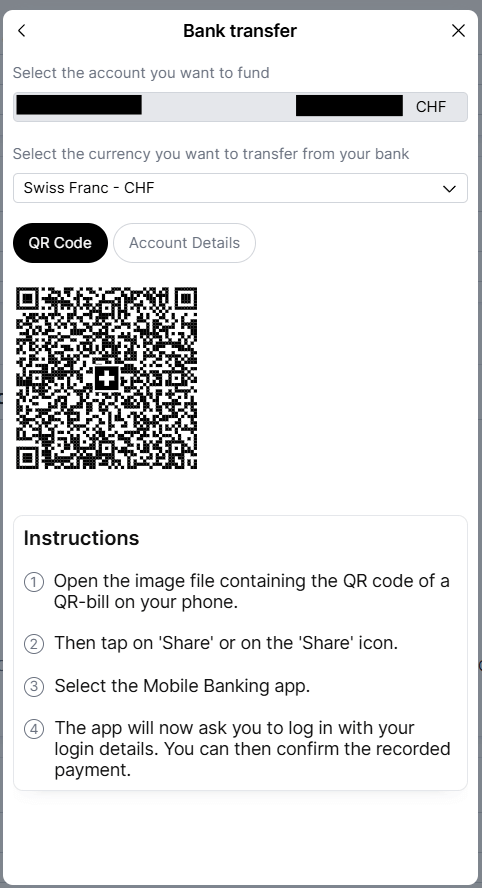
After having clicked on the Fund button, you will be presented with a QR code that you can simply scan with your favorite mobile bank to deposit money into your Saxo account. If you prefer, you can also click on Account Details and you will see all the bank information for your transfer. Using a QR code to transfer money is simple, since that is the standard way to pay bills in Switzerland. In most cases, a transfer from Neon to Saxo was done on the same day for me.
Converting currency
When you do a trade in a foreign currency, the currency will be automatically converted. For instance, if your base currency is CHF and you try to buy Microsoft shares in USD, Saxo will automatically convert from CHF to USD before buying the shares. This conversion has a price of 0.25%.
You can also do some manual conversions. However, these are significantly more complicated. On top of being complicated, there are also some conditions. For instance, you cannot convert less than 1000 USD at once. Below that, the platform will simply prevent you from executing an order. And if you do an operation below 50,000 USD, you will pay extra fees that do not make it very worthwhile. However, after this threshold, it becomes interesting because the fee would be cheaper than the default currency conversion fee of 0.25%. For instance, a 50,000 USD purchase would only come with a 0.18% fee.
However, this system is really only if you are here to trade Forex. It is not really meant to then use this as a currency for your operations. If you really want to keep your USD, you will need to create a subaccount in a different currency so that you can hold multiple currencies in your account.
If you really wish to do a forex trade, you can search for a currency pair (USDCHF), for instance, and then you will be presented with a window to configure your order. You can choose, for instance, the Quick Trade feature, which works well for simple investors, but you can also do standard market or limit orders.
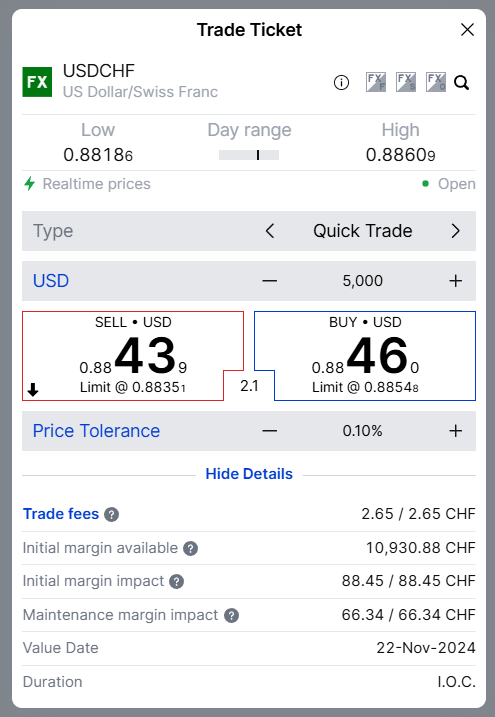
Overall, it is not very practical to convert currency on Saxo. However, in most cases, you do not need to do so since the most efficient way for standard investors is to let Saxo do automated conversions for us.
Buy an ETF on Saxo
Once you have enough cash on your broker account, you can buy some shares of any ETF. In this example, we will use the VT (Vanguard Total World) ETF. If you already have some shares in your portfolio, you can simply click on the position, and then you will see the information about the share and be able to buy it. If you have not yet bought them before, you can use the search function on the top right. For instance, you can search VT:
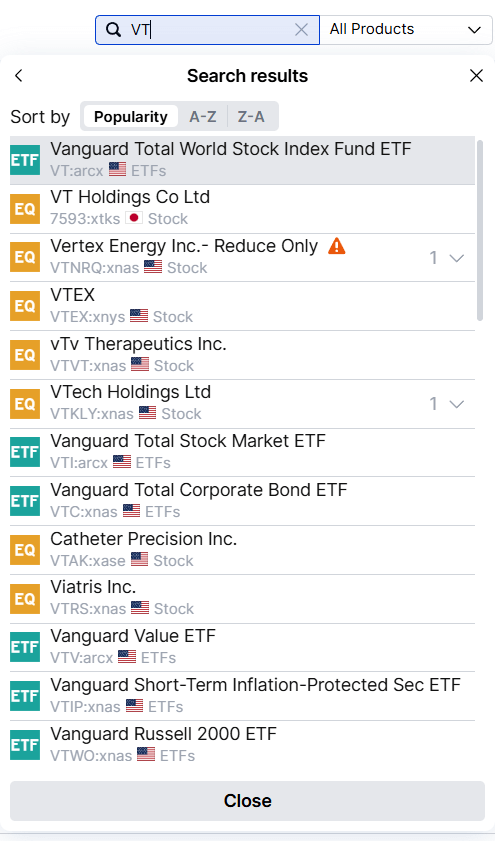
The one you are looking for is the first one. On the subtitles, you can see the ticker (VT) and arcx which indicates NYSE ARCA (and the flag validates this as well). You can also see that this is an ETF, which is precisely what we want. Overall, I find that the search function works quite well. You can also search by name.
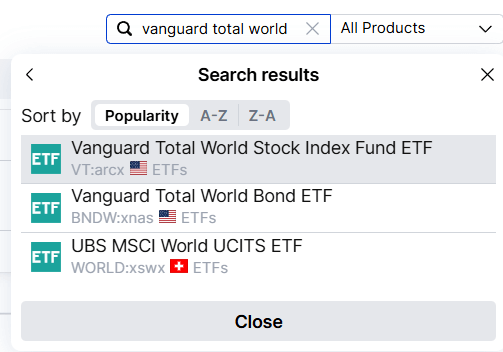
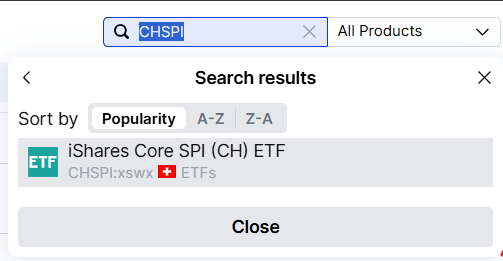
And it also works the same way if we search for a Swiss ETF:
Once you have found the share you are looking for, you can simply click on it, and you will be brought to the information view of the ETF.
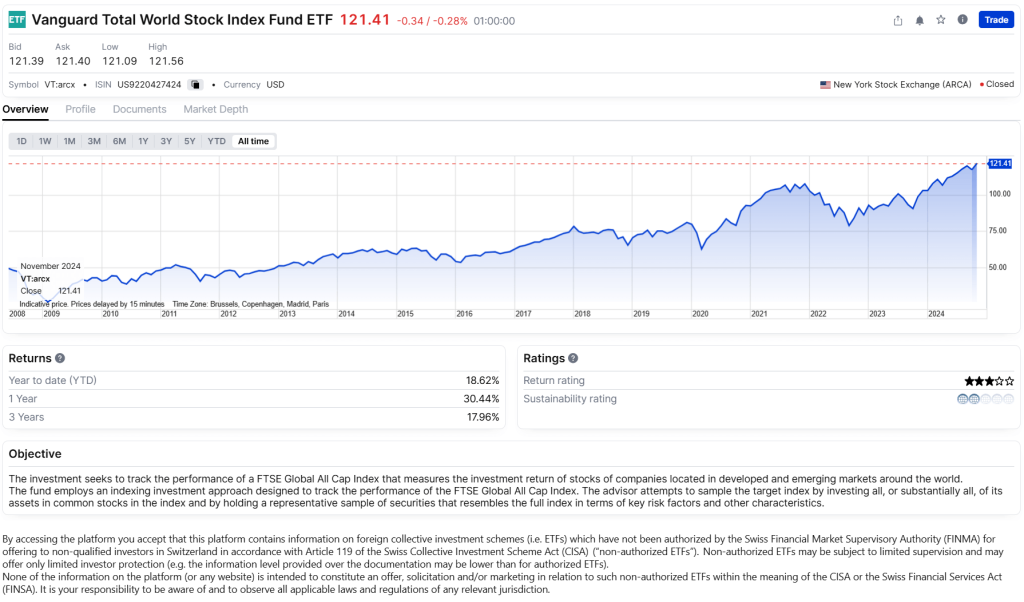
On this view, you can find a lot of information about each ETF. It is not as complete as on some other brokers, but it is more than enough for simple investors. From there, you can then start trading by clicking on the Trade button on the top right.
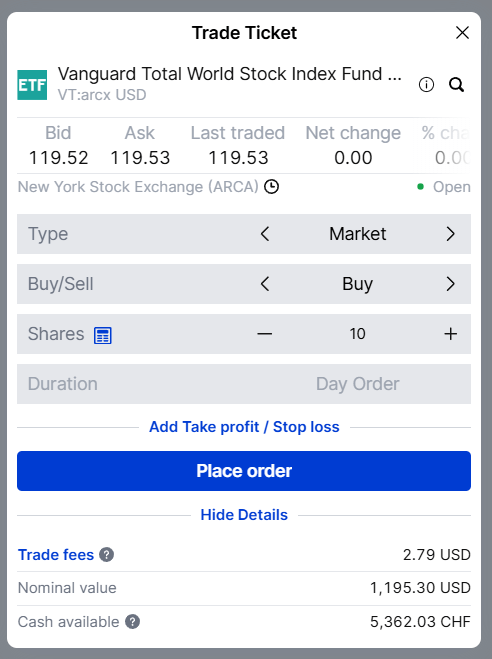
From this view, you can then configure your order. In this example, I used a market order to buy 10 shares of VT. We can see that the trade fees are presented on the screen. And if you click on it, you will get the detailed information about the fees. You can use many order types, but the two common ones will be Limit and Market. I only use market orders. And if you select another order type, you can also select the duration, which is generally only useful if you are doing some bets on the market.
Once you place the order, you will need to confirm it.
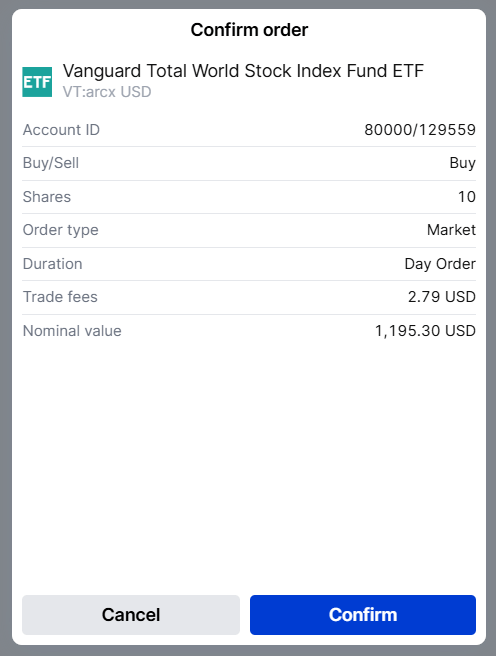
As usual, you should make sure your order is correct and then click Confirm to place the order on the exchange. If you are doing a market order and if the market is open, the order will be instantly executed. When using a limit order, it will depend on your limit price and on the market.
If you then go into your transactions, you should find a list of all the transactions and their details.

In this example, we can see a 5000 CHF transaction to buy the CHSPI ETF. The total cost came down to 7.81 CHF and about half of this cost came from the Swiss stamp duty, which is due by each Swiss broker.
And finally, if you go into your portfolio, you will see the new position.

On this view, you can see the VT and CHSPI shares. You can also see how your shares are doing and how much they are worth. From this portfolio view, you can also click on any position, and then you will be able to trade it quickly. Once you have bought shares of each of your ETF in your portfolio, you will not need to search again and things will be simpler.
Overall, buying shares on Saxo is easy. I think some actions could be made more obvious on the interface, but apart from that, it is pretty good.
FAQ
How much does it cost to convert currency on Saxo?
Converting currency automatically on IB will cost you 0.25%, regardless of the amount. Doing a manual conversion through the Forex system can be cheaper, but only for very high amounts, and the fees depend on each currency pair.
Are the fees the same for each Saxo interface?
Yes. There are multiple ways to trade with Saxo, but the fees are the same for each of them.
Conclusion
Start investing with a Swiss broker at incredible fees! Start trading with Saxo Bank and get 200 CHF in trading credits.
- Low currency conversion fee
- Swiss broker
Overall, trading with Saxo is simple. The only thing that is not obvious is currency conversion, but since automated currency conversions are almost always cheaper, it is perfectly easy to do everything with automated currency conversions.
Currently, I only use the SaxoTrader web interface. I may try again the SaxoInvestor application because it is supposed to be even easier for passive investors like me. Please tell me if you want me to try other interfaces as well.
If you would like to learn more about Saxo, you should read my Saxo review. And if you prefer automation, you may want to check out how to automate your investments with Saxo.
As usual, I should mention that I am using Saxo as a secondary broker. My primary broker is Interactive Brokers, and it can be much cheaper than Saxo, especially for US shares. On the other hand, Saxo slightly easier to use than IB, especially for deposits. And I believe that Saxo is currently the best Swiss broker.
What about you? What do you think of trading with Saxo?
More reading
DEGIRO vs Interactive Brokers for European Portfolio: Who is cheaper in 2026?
In-depth analysis of who is cheapest: DEGIRO vs Interactive Brokers. We are considering European investment portfolios for Swiss and European investors.
Swissquote Review 2026 – A great Swiss Broker
The bank leader. Read our 2026 review of Swissquote. We analyze their fees, safety, and features to see if Switzerland's largest online bank is for you.
Can robo-advisors be cheaper than brokers?
DIY vs Robo. Are Robo-Advisors cheaper than buying ETFs yourself? We run the numbers to see the true cost of convenience over 20 years.
Learn easy ways to optimize your finances and save thousands in Switzerland with our exclusive e-book. Learn about the most cost-effective financial services tailored for savvy residents and expats!
Get Your FREE Swiss Money-Saving Guide
Hi Baptiste,
thank you for this post.
I have just opened my saxo account and would like to fund it with 50000 euros, and buy CHSPI.
If I understand correctly, the best way would be to let saxo auto-convert when buying CHSPI? It would cost me CHF 125, is that it?
Is there a way to reduce this cost?
I also checked the conversion in Wise and it would be CHF186; then I would be transfering ~CHF45300 to saxo.
So it seems the autoconvert is saxo is better, but wondering if this is the best way to go?
thank you
Hi Violette
With Saxo, the 0.25% conversion is the best you can do if you have a lot of EUR and want to buy something in CHF.
This is already the cheapest Swiss broker I know for conversion, I am not aware of any way you can reduce that further.